The buy counter for used bookstores
Trade-ins by appointment, not by the trunkload.
SpineLit books your buy counter, numbers every bag and box that comes in, shows your buyers what’s waiting, and reminds customers to collect what you didn’t take. You decide how much comes in, and when.
Every buy, four steps
Each order is always in one of them, waiting on someone. SpineLit keeps track of which, so nobody has to.
Book
Waiting for the customer
They book online from your website, or you book them by phone or at the counter. Your screening questions come first, and the number of bags and boxes decides the size.
Check in
Waiting for the counter
Recount the load, put a numbered sticker on each bag and box, print the intake slip. Walk-ins get logged the same way.
Buy
Waiting for a buyer
Buyers work the pile oldest first, with a timer per order. When they’re done, the customer gets their results.
Return
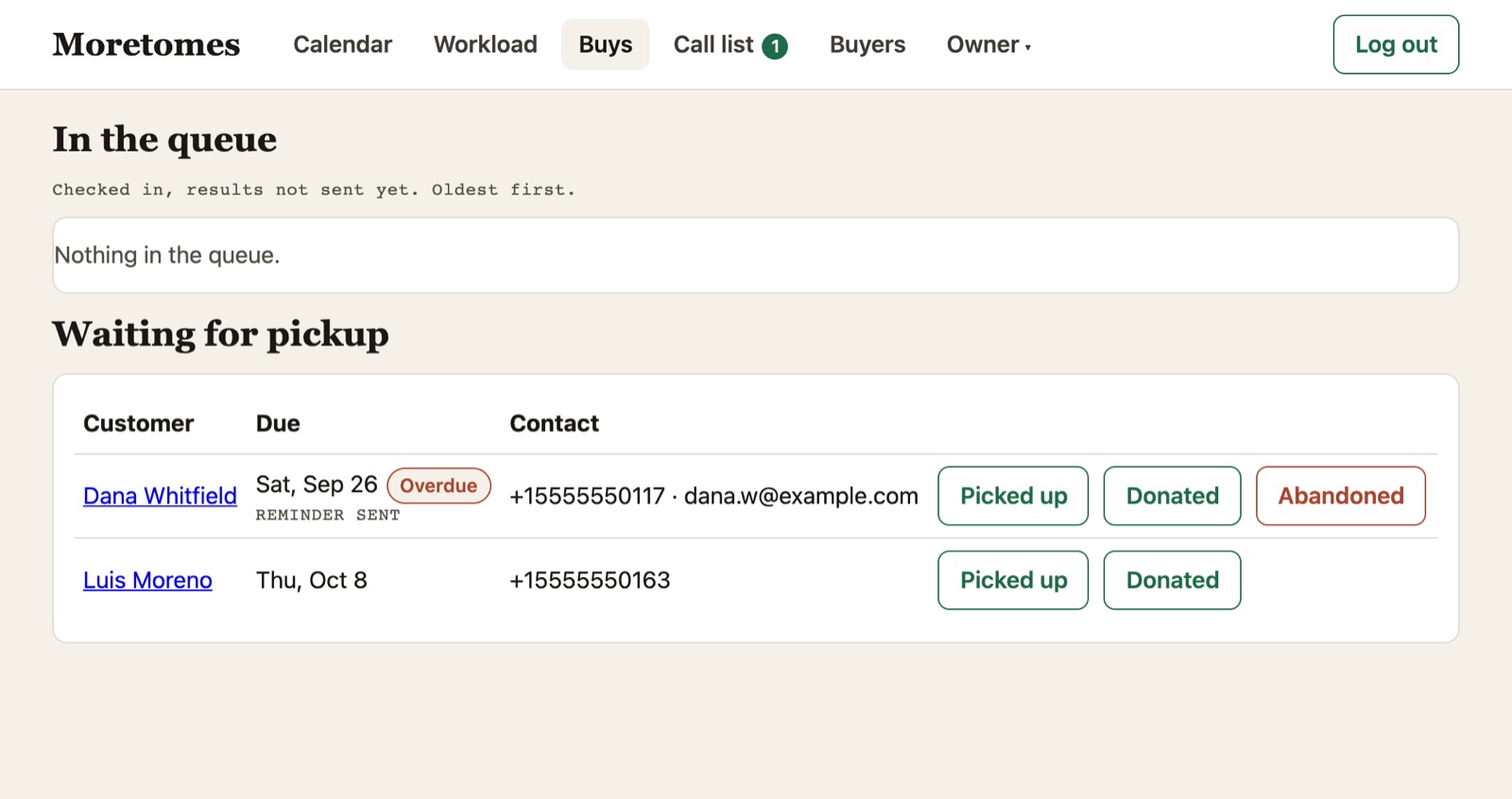
Waiting for pickup
What you didn’t take is tracked until it’s picked up or donated, and the customer gets a reminder.
What’s inside
Built with a working used bookstore, around how its counter actually runs: mostly phone bookings, a pile that’s always too big, and customers who forget to come back for what you passed on.
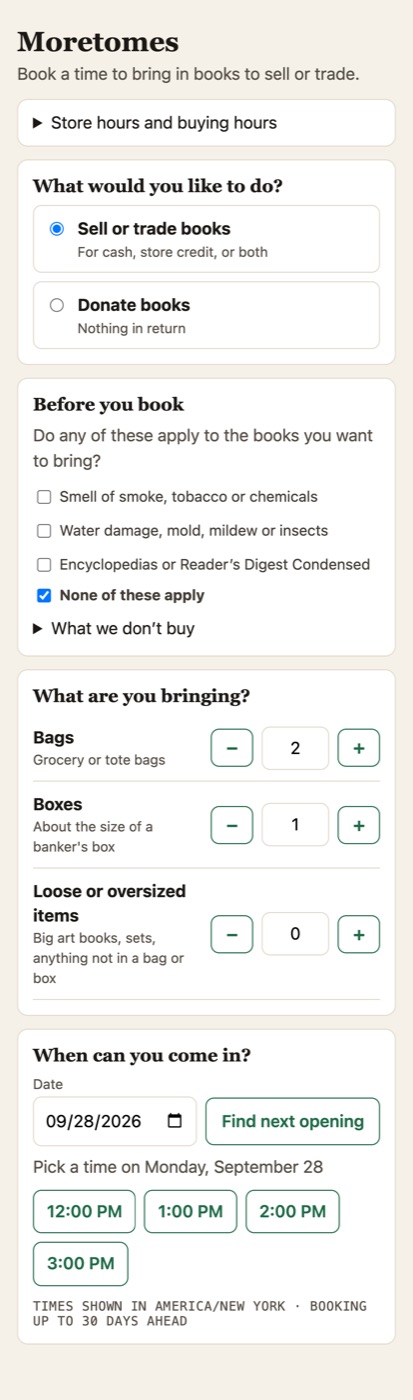
Bookings you control
Only the times you buy are offered, and only as many as you can handle.
- Daily and weekly limits, with fewer slots for large orders
- Quick one-bag drop-offs need no appointment; very large loads get a call first
- A cutoff before closing, and how far ahead people can book
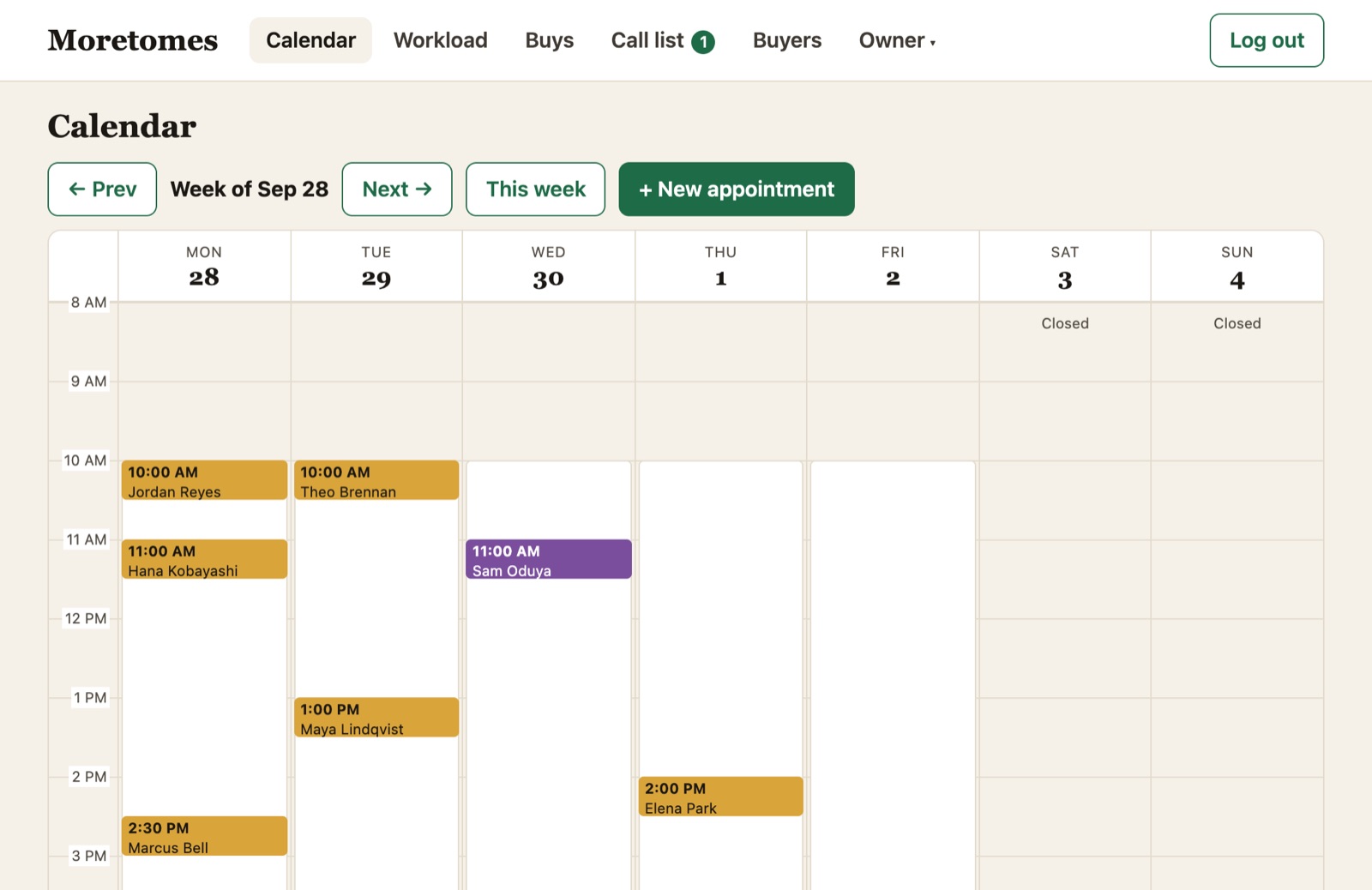
- Staff book by phone or at the counter from the week calendar, and can always override a limit
- A booking form that sits on your own website
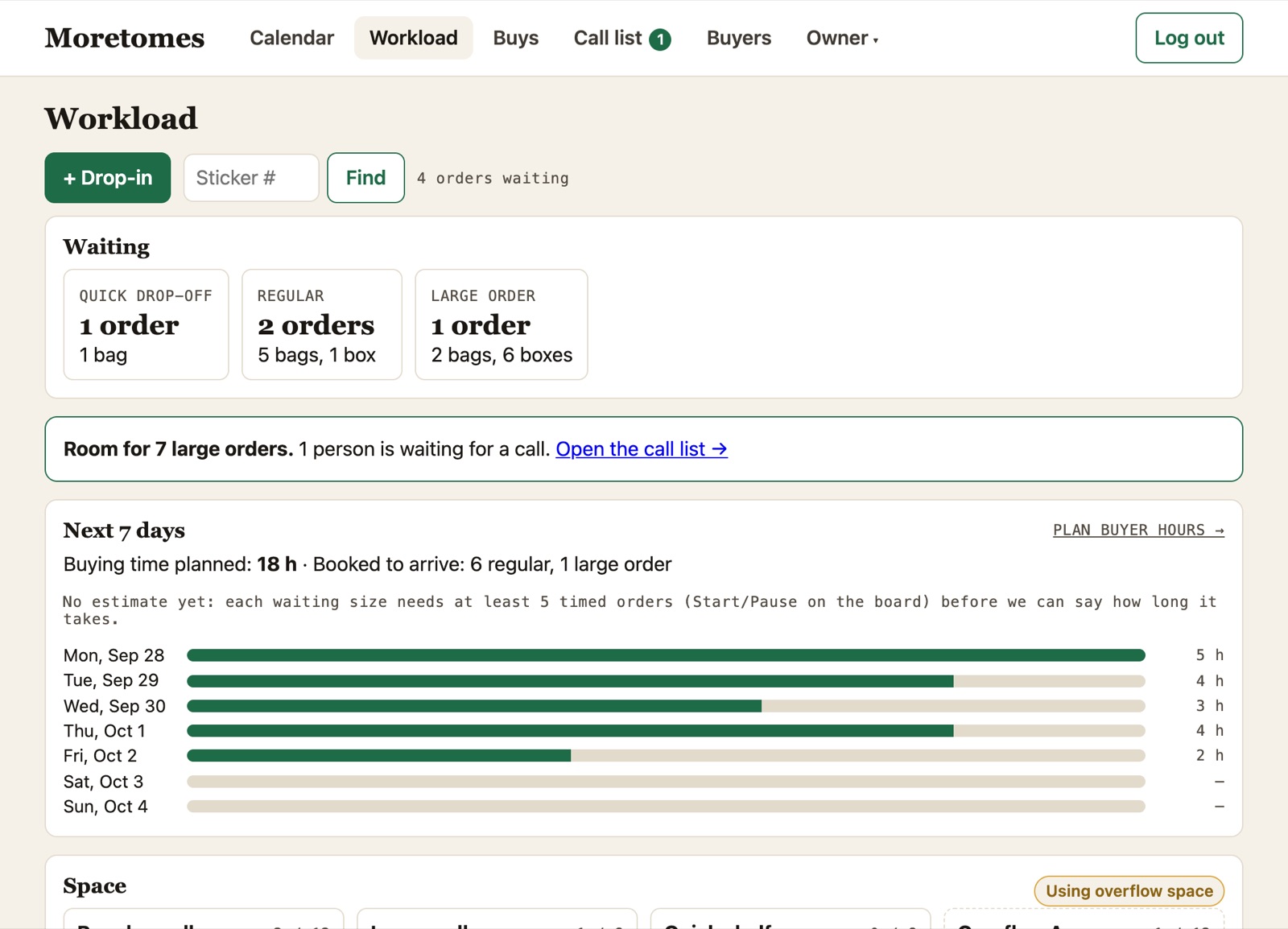
A pile you can plan around
Everything in the building on one board: what’s waiting, how big, where it sits, how long it’s been there.
- Space on each wall and shelf, including overflow
- Type the number on a box to find whose it is
- A start/stop timer per order, so books per buying hour is a number, not a guess
- Plan buyer hours for the week against what’s waiting and what’s booked
Follow-up that sends itself
Nothing depends on someone remembering to call.
- Booking confirmations, reminders, changes and cancellations
- Results when the buy is done: cash, credit, and a note from you
- A pickup reminder for leftovers, then picked up, donated or abandoned
- A call list for large orders waiting for space, oldest first
- Email by default; texts only if you turn them on
Built for the shop
Your name on it, your rules in it, nothing to install.
For buyers and staff
- Book, check in, buy and hand back from one place
- Phone bookings get the same checks as online ones
- Sign in with a code sent to your email
For owners
- Hours, limits, notices and screening questions, all yours to change
- Weekly reports on bookings, payouts, turnaround and leftovers
- A change history of who did what
For your customers
- Book from your website or yourstore.spinelit.com, no account needed
- Know before they load the car what you won’t take
- Change or cancel from the link in their email
Questions
Do customers need an account to book?
No. They book with a name, phone and email, and get a link to change or cancel. An account is only needed if they want to send you a list of their books first.
Can customers send a list of their books first?
Yes, if you want that. They can scan barcodes or type titles, and you can send an estimate before they come in. Plenty of stores would rather see the books; booking works without it.
Does it connect to my point-of-sale system?
Your POS stays the record of what you bought and what you sell. SpineLit exports customers and results as spreadsheets, and the customer list is ready for your mailing tool. Tell us what you use.
Does my store get its own address?
Yes: yourstore.spinelit.com, plus a booking form you can put on your own website. Your data is kept separate from every other store.
How much does it cost?
SpineLit is licensed to stores. Get in touch and we’ll talk through your volume and what you need.
Ready to stop the unannounced boxes?
Tell us about your store and your buy counter. We’ll set up your address and rules with you.
Email hello@spinelit.com